
Make every note instantly visible. Your students see what you play. Plug in your keyboard and teach. Play together, side by side. Less explaining. More playing.
Turn your MIDI keyboard into a real-time visual teaching surface.
Browser-based. Zero setup. Just play.
Share it anywhere you teach:
Live to Zoom, Google Meet, OBS Studio, Twitch, Discord, and YouTube
See Jamportal in action
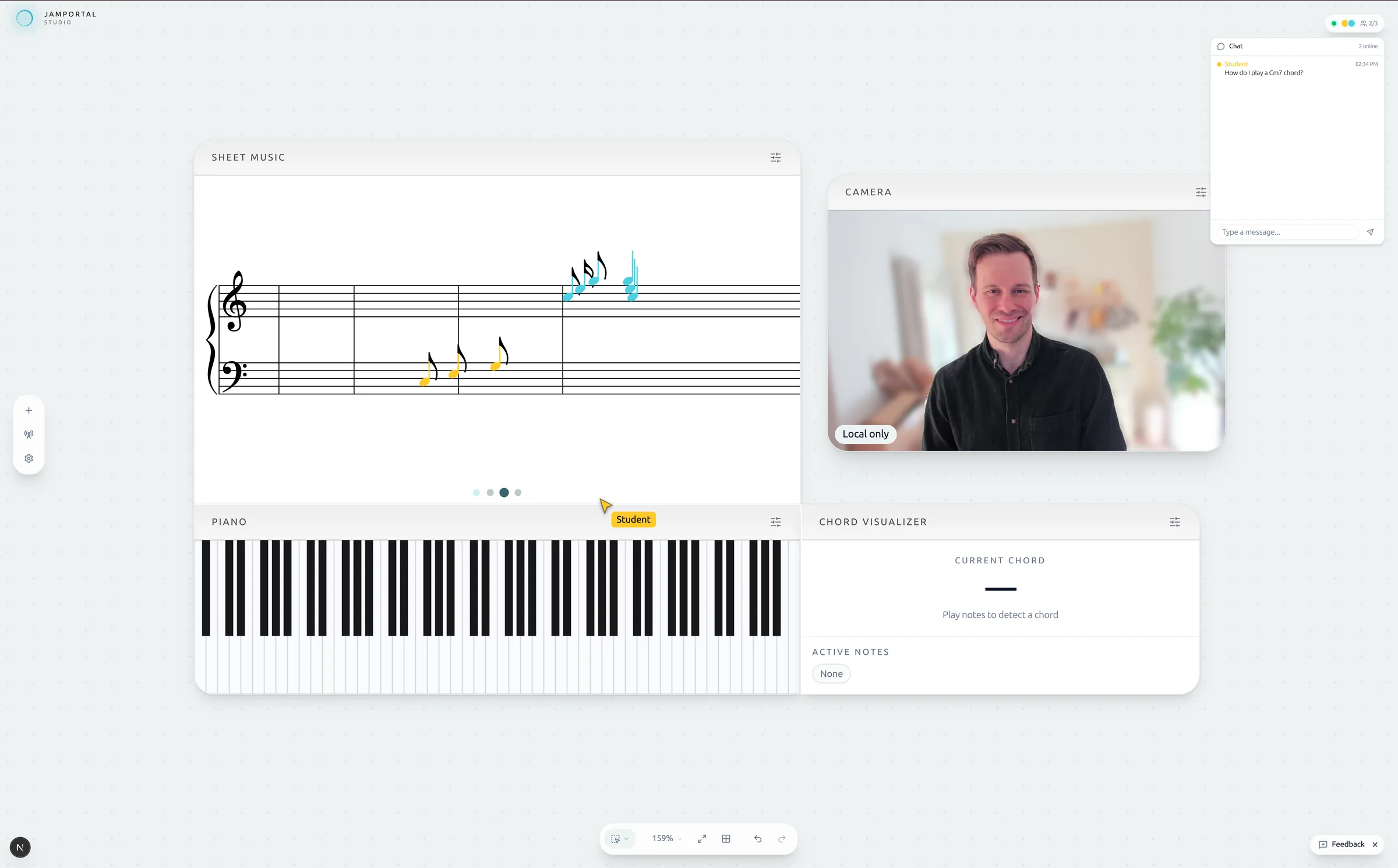
This is what your students see when you teach with Jamportal.
The problem
Online lessons sound fine.
But students can't see the music.
Audio is solved. Video is solved. But the music itself — what’s actually being played — is still invisible.
Can’t see what’s happening
Students hear the music but can’t visualize the technique. Hand cameras are shaky, poorly lit, and confusing.
Sheet music stays static
Students follow along on paper or PDF while you play. The notes just sit there — nothing scrolls, nothing highlights where you are.
More explaining, less playing
You spend half the lesson describing finger positions and key sequences instead of making music together.
Switching between apps breaks the flow
You’re toggling between Zoom screen share, a PDF viewer, a metronome app, and webcam angle adjustments — all while trying to actually teach. Every alt-tab pulls you and your student out of the music.
You’ve made online lessons work. Jamportal makes the music visible.

The solution
Your students finally see what you play
Jamportal turns your live piano playing into clear, interactive visuals your students can actually follow — without changing your setup.
See every note as it’s played
Piano keys light up as you play. Students see exactly what you’re doing.
Sheet music that follows your playing
Notes flow in sync with your playing. No more static, disconnected PDFs.
Play together, side by side
Students don’t just watch — they play along. Both keyboards visible, side by side, in real time.
How it works
From keyboard to screen in seconds.
No downloads, no drivers, no accounts.
Connect
Plug in your MIDI keyboard. Your browser handles the rest.
Play
Notes, chords, and sheet music appear as you play.
Share
Share your screen in Zoom, Meet, or however you teach.
Features
Built for what piano teachers actually need.
Real-time piano visualization
See every key as it’s played — timing, velocity, and dynamics included. No camera setup required.
Rolling sheet music
Live notation scrolls in sync with your playing. Students follow without confusion.
Note stream
Notes flow up the screen as you play — keeping students focused and engaged throughout the lesson.
Chord recognition
Chords detected and displayed in real time — including voicings and inversions.
Collaborative portals
Teach together in real time. Students join with a link — both keyboards, sheet music, and chords visible side by side.
Interactive drawing
Draw, annotate, and highlight directly on screen. Circle a passage, mark fingering, or explain a concept visually.

Your studio.
Your layout.
Your way to teach.
Every teacher has a different style. Set up your workspace however you want — so it fits how you teach.
Pricing
Built for teachers, priced to be fair
All features are free during early access. No credit card required.
Free
The essentials for visual teaching.
No account required. Just open and play.
Start Teaching- Visual piano with key animations
- Rolling sheet music
- Real-time chord recognition
- Note stream animations
- Webcam integration
- Freeform workspace layout
Pro
The full studio, unlocked.
Free during early access
Join Early Access- Everything in Free
- Collaborative portals
- Priority support
We're still shaping what Pro looks like. During early access, everything is unlocked so we can learn from how you actually teach.
- All features unlocked today
- Your input shapes what Pro becomes
- 30-day notice before any pricing change
Schools & Groups
One studio for your whole program.
Get in Touch
- Everything in Pro
- We'll tailor Jamportal to your classroom
- Direct line to the founding team
- Dedicated support
Built by a small team that got tired of juggling five apps per lesson.
Have a feature in mind?
FAQ
Questions & answers

Ready to teach? Open the studio.
Your students are waiting to see what you play.